
Top 10 Digital Skills Students Need to Get a Job in 2026
Introduction
Digital technology is transforming the modern workplace, reshaping how businesses operate and how employees carry out their daily tasks. Technologies such as Artificial Intelligence (AI), cloud computing, data analytics, and digital communication tools are becoming increasingly important across various industries. Consequently, students must develop relevant digital skills to prepare for the evolving demands of the job market.
Although academic qualifications provide a solid foundation, they may not always be sufficient to meet the expectations of employers. Many organizations look for candidates who can use digital tools, solve practical problems, adapt to new technologies, and work efficiently. By developing these skills, students can strengthen their resumes, showcase their capabilities, and improve their employability.
In this article, we will explore the top 10 digital skills that students will need to secure jobs in 2026, explain why each skill is important, and discuss practical ways to learn them. Whether you are a college student, a recent graduate, or someone currently seeking employment, this guide will help you identify valuable digital skills and take steps toward building a successful career.
There is a continuous effort to innovate, improve access to services, and simplify the way tasks are performed. Those who understand these changes and continuously work to develop their skills will find it easier to adapt to the future. On the other hand, those who resist change and fail to keep learning may struggle to keep up with the evolving world. To stay ahead, individuals must remain aware of emerging trends, anticipate future developments, and prepare themselves for the opportunities and challenges that lie ahead.
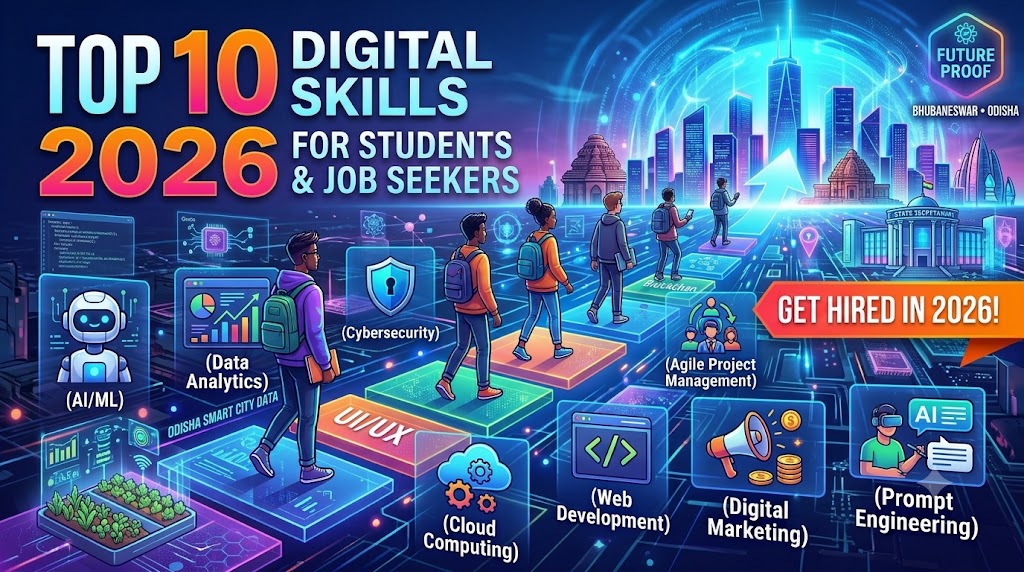
Top 10 Digital Skills
1. Artificial Intelligence (AI) Literacy
Artificial Intelligence (AI) literacy is one of the most valuable digital skills students can develop in 2026. AI is increasingly being used in education, business, healthcare, marketing, customer service, and many other industries. Understanding how AI works and how to use AI-powered tools effectively can help students become more productive and better prepared for modern workplaces.
Students should learn how to use AI tools such as ChatGPT, Google Gemini, and Microsoft Copilot for research, generating ideas, preparing presentations, summarizing information, and completing everyday tasks. However, using AI effectively also requires critical thinking. Students should verify AI-generated information, identify possible errors, avoid sharing sensitive personal data, and understand the importance of responsible AI usage.
How Students Can Develop AI Literacy:
Understand the basic concepts and applications of artificial intelligence.
Practise using AI tools for research, brainstorming, and productivity.
Learn to write clear and effective prompts to get useful results.
Verify AI-generated information using reliable sources.
Protect personal information and use AI responsibly.
Apply AI tools to practical academic and workplace-related projects.
Career Opportunities: AI literacy can be useful in fields such as digital marketing, content creation, business administration, data analysis, education, and customer support. It is also a valuable supporting skill for students entering technology-related careers.
2. Data Analysis and Spreadsheet Skills
Learn Microsoft Excel or Google Sheets to create, edit, and manage spreadsheets.
Understand basic formulas, sorting, filtering, and charts.
Practise organizing, analysing, and interpreting data.
Build a small project using real or sample data.
Learn essential functions such as SUM, AVERAGE, COUNT, MIN, and MAX.
Understand advanced formulas such as IF, COUNTIF, SUMIF, and VLOOKUP.
Learn how to identify and remove duplicate entries and correct data errors.
Practise creating professional reports using tables, charts, and graphs.
Understand Pivot Tables to summarize and compare large amounts of information.
Develop data visualization skills to present information clearly and support better decision-making.
Data Entry Operator, MIS Executive, Junior Data Analyst, Accounts Assistant, Office Assistant, and Business Support Executive.
3. Digital Marketing
Understand social media marketing and online advertising to promote products, services, and brands.
Learn Search Engine Optimization (SEO) to improve website visibility on search engines like Google.
Explore content marketing and basic analytics to understand audience interests and campaign performance.
Create a sample digital marketing campaign to gain practical experience.
Learn social media management using platforms such as Facebook, Instagram, LinkedIn, and YouTube.
Understand keyword research to identify the search terms people use to find products and information.
Learn email marketing to create promotional emails, newsletters, and customer engagement campaigns.
Develop content creation skills, including writing captions, designing promotional posts, and creating short videos.
Understand Google Analytics and social media insights to measure website traffic, audience engagement, and marketing results.
Learn basic paid advertising through Google Ads and Meta Ads to reach targeted audiences and promote businesses online.
Career Opportunities: Digital Marketing Executive, SEO Executive, Social Media Manager, Content Marketing Executive, Email Marketing Executive, PPC Specialist, Google Ads Executive, Social Media Content Creator, Digital Marketing Analyst, and Freelance Digital Marketer.
4. Basic Coding and Programming
Learn basic HTML and CSS to understand how websites are created and designed.
Start learning beginner-friendly programming languages such as Python or JavaScript.
Understand programming fundamentals, including variables, data types, and operators.
Learn conditional statements such as IF, ELSE, and ELSE IF to make decisions in programs.
Understand loops and functions to write reusable and efficient code.
Develop logical thinking and problem-solving skills through simple coding exercises.
Learn how to identify, understand, and fix common programming errors (debugging).
Practise using coding platforms and development tools such as Visual Studio Code.
Create small practical projects, such as a calculator, personal portfolio website, or simple quiz application.
Explore Git and GitHub to manage code, track project changes, and showcase programming work.
Career Opportunities: Junior Web Developer, Front-End Developer Trainee, Python Developer Trainee, Software Development Intern, and Technical Support Assistant.
5. Graphic Design and Visual Content Creation
Learn Canva or other beginner-friendly design tools to create professional graphics and visual content.
Practise creating posters, presentations, thumbnails, banners, and social media graphics.
Understand basic design principles, including typography, layout, spacing, and colour combinations.
Learn photo editing, image resizing, cropping, and background removal techniques.
Develop skills in creating attractive logos, brochures, flyers, and business advertisements.
Understand visual branding and how to maintain a consistent design style across different platforms.
Explore advanced design software such as Adobe Photoshop and Adobe Illustrator.
Learn to create engaging visual content for Instagram, Facebook, YouTube, and other social media platforms.
Understand image formats, resolution, file sizes, and export settings for digital and print designs.
Build a professional design portfolio by collecting your best creative projects and showcasing your abilities.
Career Opportunities: Graphic Designer, Canva Designer, Social Media Designer, Visual Content Creator, Junior UI Designer, and Freelance Graphic Designer.
6. Cloud Computing and Online Collaboration
Understand the basics of cloud computing and how information is stored and accessed through the internet.
Learn to use cloud storage platforms such as Google Drive, Microsoft OneDrive, and Dropbox.
Develop practical skills in Google Docs, Google Sheets, and Google Slides for creating and managing documents.
Learn Microsoft 365 applications, including Word, Excel, PowerPoint, and Outlook.
Practise sharing files, folders, and documents securely with colleagues and team members.
Understand real-time collaboration by editing shared documents and working with multiple users online.
Learn how to manage file permissions, including viewer, commenter, and editor access.
Understand cloud backup, file recovery, and version history to prevent accidental data loss.
Develop online teamwork skills by using collaboration platforms such as Microsoft Teams, Google Meet, and Zoom.
Organize digital files professionally by creating folders, using clear file names, and maintaining secure access.
Career Opportunities: Virtual Assistant, Administrative Assistant, Project Coordinator, Remote Support Executive, Office Assistant, and Operations Executive.
7. Cybersecurity and Digital Safety
Understand the basics of cybersecurity and why protecting digital information is important.
Learn how to create strong, unique passwords for different online accounts.
Understand multi-factor authentication (MFA) to add an extra layer of security to personal and professional accounts.
Learn to identify phishing emails, fake messages, online scams, and suspicious website links.
Understand online privacy settings and how to control access to personal information on digital platforms.
Learn safe internet browsing practices and avoid downloading files from untrusted websites.
Understand the importance of antivirus software, firewalls, and regular security updates.
Learn how to protect smartphones, laptops, and other digital devices from unauthorized access.
Practise safe data handling, including secure file sharing, data backups, and protecting confidential information.
Understand how to report cybercrime, suspicious online activities, and security incidents through appropriate channels.
Career Opportunities: Cybersecurity Analyst Trainee, IT Support Executive, Security Operations Centre (SOC) Analyst Trainee, Information Security Assistant, and Technical Support Executive.
8. Office Productivity and Document Management
Learn word processing applications such as Microsoft Word and Google Docs to create and edit professional documents.
Develop presentation skills using Microsoft PowerPoint and Google Slides to prepare attractive and informative presentations.
Understand how to create professional reports, letters, résumés, invoices, and business documents.
Learn email communication using Gmail and Microsoft Outlook, including writing professional emails and managing attachments.
Understand calendar management and scheduling using Google Calendar and Microsoft Outlook Calendar.
Develop digital file management skills by creating folders, organizing documents, and maintaining proper file names.
Learn document formatting, including page layouts, fonts, headings, tables, margins, and page numbering.
Practise converting, saving, sharing, and exporting documents in different formats, such as PDF and DOCX.
Understand how to use templates, tables, charts, and other productivity features to complete office tasks efficiently.
Practise common workplace activities such as preparing meeting notes, maintaining records, creating reports, and managing official documents.
Career Opportunities: Office Assistant, Administrative Executive, Data Entry Operator, Front Office Executive, Personal Assistant, Documentation Executive, and Office Coordinator.
9. Video Editing and Multimedia Skills
Learn beginner-friendly video editing software such as Canva, CapCut, Filmora, or Adobe Premiere Pro.
Understand basic video editing techniques, including trimming, cutting, splitting, and joining video clips.
Practise adding subtitles, captions, text animations, and transitions to make videos more engaging.
Learn audio editing techniques, including background music, voiceovers, noise reduction, and sound effects.
Develop skills in creating short educational videos, promotional videos, advertisements, and social media content.
Understand video formats, resolution, aspect ratios, frame rates, and export settings for different platforms.
Learn how to create attractive video thumbnails, titles, and opening sequences to capture viewers' attention.
Explore basic animation, motion graphics, and visual effects to improve video presentation.
Understand video storytelling techniques, including scripting, scene selection, sequencing, and audience engagement.
Build a professional multimedia portfolio by creating and showcasing your best video editing projects.
Career Opportunities: Video Editor, Video Content Creator, Multimedia Assistant, Social Media Content Editor, YouTube Video Editor, and Freelance Video Editor.
Practice by creating a simple portfolio or blog.
10. Website Management and Basic Web Publishing
Understand how websites work, including domains, web hosting, webpages, and website structures.
Learn to use Content Management Systems (CMS) such as WordPress to create and manage website content.
Develop basic website editing skills, including updating text, images, menus, pages, and website layouts.
Understand the basics of HTML and CSS to make simple website design and content changes.
Learn how to publish website content, create new pages, and manage blog posts.
Understand Search Engine Optimization (SEO), including keywords, meta titles, meta descriptions, and headings.
Learn how to create SEO-friendly articles, organize website content, and add relevant internal and external links.
Explore website analytics tools such as Google Analytics and Google Search Console to monitor website traffic and performance.
Understand website maintenance, including updating plugins, checking broken links, backing up files, and maintaining website security.
Practise creating and managing a personal portfolio, educational website, or blog to gain practical website management experience.
Career Opportunities: Website Administrator, WordPress Developer Trainee, Website Content Manager, Web Publishing Assistant, SEO Executive, and Junior Web Developer.
How Students Can Learn These Digital Skills
Explain practical steps readers can follow:
Identify the digital skills required for their target career.
Start with free online tutorials and courses.
Practise regularly instead of relying only on theory.
Complete small projects to demonstrate their abilities.
Build a portfolio to showcase their work.
Add relevant skills and projects to their résumé.
Keep learning as technology and employer requirements change.
Include a few trusted learning platforms and explain what each offers.
Google Skillshop — training for Google's digital products and advertising tools.
Microsoft Learn — technology, productivity, and AI learning resources.
HubSpot Academy — digital marketing and content marketing courses.
freeCodeCamp — programming and web development practice.
Canva Design School — graphic design and visual communication learning.
Check each platform's current course availability and certification terms before publishing specific claims.
Benefits of Digital Skills for Students
Apply for a wider range of entry-level roles.
Complete workplace tasks more efficiently.
Develop freelance and self-employment opportunities.
Build confidence with modern workplace technology.
Create practical projects that demonstrate their abilities.
Adapt to changing job requirements.
Avoid promising that learning a skill alone guarantees a job.
Common Mistakes Students Should Avoid
Learning too many tools without mastering the basics.
Watching tutorials without practising.
Adding skills to a résumé without being able to demonstrate them.
Ignoring data privacy and cybersecurity.
Relying completely on AI-generated work.
Failing to update their knowledge and portfolio.
Conclusion
Digital skills are valuable across many industries.
Students should choose skills based on their career goals.
Practical experience and projects are important.
Consistent learning can improve job readiness.
End with a call to action, such as encouraging readers to choose one skill and start practising today.